Hardware report
The device check that belongs before any travel eSIM plan
A phone name is only the opening clue. The useful answer lives in the settings, the regional model and the service conditions attached to the handset in front of you.

Start with the device you own
Compatibility lists are tempting because they promise a short answer. They can also collapse important variation. A model family can be sold with different SIM arrangements in different regions; a carrier-supplied handset can retain a network restriction; and an update can move a menu without altering the hardware. A traveller at home in Manchester with a phone bought in another market has more relevant evidence in their settings than in a broad model roundup.
Open the device’s mobile network, cellular, connections or SIM-management area. Look for a clearly described option such as adding an eSIM, adding a cellular plan or managing eSIMs. Then record the exact model identifier and software version. The first detail tells you what the installed interface offers. The second lets you compare the right documentation rather than an adjacent edition.
Next, establish whether the handset is unlocked. A phone can have eSIM capability and still be restricted to a particular carrier. The organisation that supplied the handset or the original operator is better placed than an editorial site to confirm that status. Finally, read the current instructions for the intended service. A compatible device, an eligible profile and a permitted subscription are separate conditions.
That order is less exciting than a list of “supported phones”. It is more likely to catch the issues that matter. It also protects the current line: if a travel arrangement is being considered for data, the original number may still be needed for calls, messages and authentication.
Five phone families, five routes to evidence
iPhone
On an iPhone, the cellular settings area is the sensible place to begin. A choice to add an eSIM or add a plan is evidence that the software exposes that function on the device. The next questions remain: which iPhone model and regional version is it, is it unlocked, and do the relevant service instructions cover that configuration? Do not infer details from a colleague’s handset with the same product name.
Samsung Galaxy
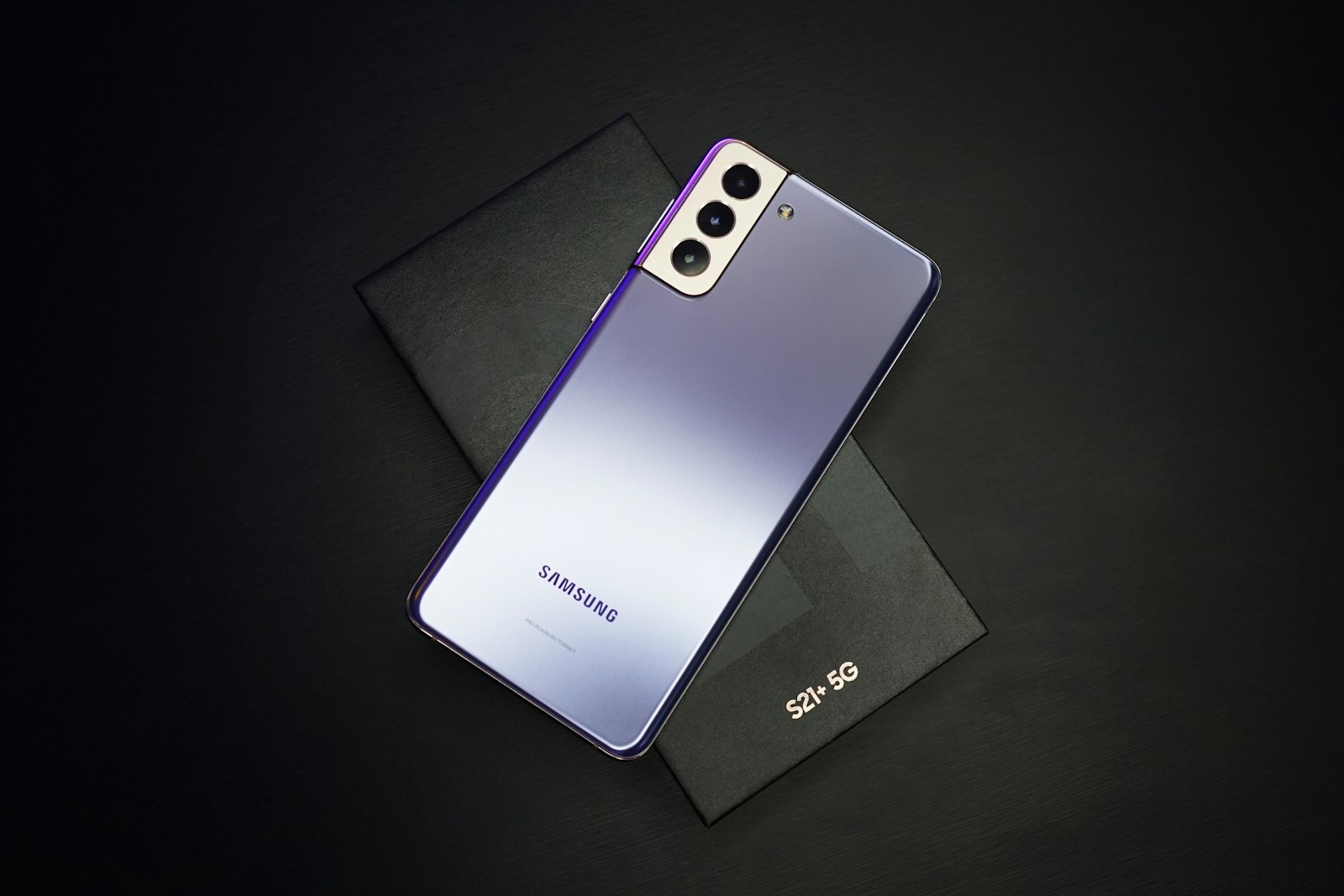
Galaxy phones commonly organise line controls around Connections, SIM manager or a similarly named setting. The presentation varies across software releases and product tiers. A traveller should identify the exact Galaxy model, inspect its SIM-management screen and check carrier status. The presence of an option to add an eSIM is useful; it does not settle every provider or regional question.
Google Pixel
On Pixel devices, network and SIM controls can be found through Settings. Use the phone’s own menu and model details rather than relying on screenshots published for another release. The same discipline applies: note the exact model, verify the current service arrangement and preserve the existing line settings. A digital SIM changes how a profile arrives; it does not make account rules disappear.
Xiaomi
Xiaomi’s device range is large, and market-specific variation makes a generic assertion risky. Look in the SIM cards and mobile networks settings, then check the model number and the documentation for that market. If the setting is absent or the wording is unclear, do not turn that ambiguity into a promise. The manufacturer’s current documentation and the original supplier can resolve the right question.
Motorola
Motorola phones may place the relevant controls under Network & internet or a SIM-related menu. As with every family, the support path depends on model, region, software and carrier status. The check takes a few minutes and is preferable to discovering a restriction during a late connection at Vienna airport. Our standards guide’s support section explains why menu visibility is only one layer of proof.
Tablets are cellular devices only when they were sold that way
A tablet can look like a natural backup for maps and tickets, yet many tablets are Wi-Fi-only. A Wi-Fi model may never show cellular controls because it has no mobile line arrangement to manage. A cellular-capable tablet may have eSIM support, a physical SIM path, both or neither depending on the model and market. The word “tablet” is not an answer.
Check the settings for a cellular or mobile-data section and then identify the model precisely. The travel decision may also differ from a phone decision. A tablet can be useful for navigation or work while the phone keeps the ordinary number and authentication traffic. But a separate cellular line may add another setup and support boundary. Decide which device truly needs independent data before preparing profiles for both.

What each check can actually tell you
The comparison below keeps the evidence separate. It is designed to prevent one reassuring signal from doing work that belongs to another check.
| Evidence | Useful conclusion | Next verification |
|---|---|---|
| eSIM control in settings | The device interface exposes relevant management tools. | Model variant and lock status. |
| Exact model number | Documentation can be matched to the device. | Current software and service eligibility. |
| Unlocked confirmation | A carrier restriction is less likely to block another line. | Provider instructions for that profile. |
| Saved line defaults | The usual configuration can be restored. | Which line should handle data abroad. |
A careful traveller does not need to become a network engineer. They do need a record of what their particular device says. Pair that record with the destination preparation notes and an offline plan for the first hour after arrival.
Before changing a setting
There is an uncomplicated way to preserve options. Screenshot existing cellular settings. Write down the current line’s label and which line handles data, calls and messages. Ensure the device is charged and updated if the manufacturer recommends it. Keep the installation material securely accessible from a second device or a printed record if that is safe for the traveller.
Then change one setting at a time. If something surprises you, reverse the last change before trying several others. This approach produces a usable record for the relevant provider and reduces the chance that an original line is left disabled by accident. It is particularly worthwhile before a flight, a road trip through several countries or a short work visit with time-sensitive logins.
Device question desk
Does an “Add eSIM” button prove every service will work?
It proves that the device exposes an eSIM-management route. Provider eligibility, regional model differences and carrier restrictions still require separate checks.
Can a locked phone have eSIM capability?
Yes. Capability and unlock status are different matters. Ask the original carrier or supplier about the handset’s status.
Can I use a physical SIM and an eSIM together?
Many devices are designed for more than one line, but the active combination and controls depend on the particular hardware and software. Check the device menu.
Why does my friend’s phone show a different menu?
Model variant, operating-system version, region and carrier software can alter how settings appear. Follow documentation for your own handset.
Should I remove an old profile before travelling?
Do not assume removal is necessary or consequence-free. Read the relevant instructions and preserve information needed to restore a configuration.
For activation terminology and installation failure paths, continue to the full FAQ desk. The publication’s role and evidence rules are set out on our about page.